DOOM: The Dark Ages Update 5 adds AMD FSR 4 on PC and the new Slaughter Mode
DOOM: The Dark Ages Update 5 adds AMD FSR 4 with FSR Upscaling 4.1 and Frame Generation 4, enables FSR frame generation on Intel GPUs and launches Slaughter Mode. Requirements and which GPUs clear them.
In this guide 4
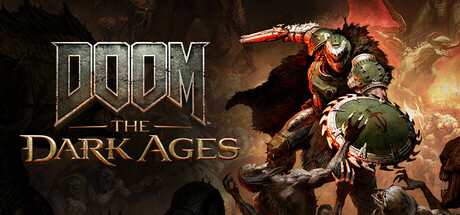
DOOM: The Dark Ages Update 5 arrived on November 16 with two headline changes. The first is Slaughter Mode, an endless horde survival mode. The second is PC only: support for AMD FSR 4 on compatible GPUs, with FSR Upscaling 4.1 and Frame Generation 4. FSR frame generation can also now be enabled on Intel GPUs that meet the required hardware and driver capabilities. If you play on a Radeon or an Arc card and need more performance, this update is for you.
What changes on PC with Update 5
id Software’s notes list the PC-only changes in their own video settings section. There are two:
- AMD FSR 4: the game now supports FSR Upscaling 4.1 and Frame Generation 4 on compatible GPUs. According to GamingOnLinux, it arrives now that FSR 4 is officially available for Vulkan.
- Frame generation on Intel: FSR frame generation can be enabled on Intel GPUs that meet the required hardware and driver capabilities.
Outside that section, in the general UI settings that are not PC exclusive, there are two new options. Screen Damage Effects lets you turn off the damage effects around the edges of the screen, including the low-health vignette, without disabling unrelated effects such as Haste. Low Health Effect Intensity adjusts that vignette from 0% to 100%.
Slaughter Mode costs nothing extra for anyone who owns Revelations, the Premium Edition or the Premium Upgrade. It is round based, and each round is either a randomized or a curated encounter. You earn Skulls that raise your Profile Level. At Round Checkpoints you can Secure them or choose Risk It for a multiplier, and you lose the at-risk Skulls if you die before the next checkpoint. The patch also fixes an issue where weapons disappeared from your inventory during normal play.
What to do to use it
The notes only say that FSR 4 is in the PC version’s video settings. They do not list which models count as compatible. On Intel, frame generation depends on your GPU and driver meeting the game’s requirements, but the notes do not name a specific driver version.
DOOM: The Dark Ages PC requirements
The Update 5 notes do not touch the system requirements. These are the ones on the Steam page:
| Minimum | Recommended | |
|---|---|---|
| GPU | Hardware ray tracing with 8GB VRAM (RTX 2060 SUPER or RX 6600) | Hardware ray tracing with 10GB VRAM (RTX 3080 or RX 6800) |
| CPU | AMD Zen 2 or Intel 10th Gen, 8 cores / 16 threads (Ryzen 7 3700X or Core i7 10700K) | AMD Zen 3 or Intel 12th Gen, 8 cores / 16 threads (Ryzen 7 5700X or Core i7 12700K) |
| RAM | 16 GB | 32 GB |
| Storage | 100 GB on NVMe SSD | 100 GB on NVMe SSD |
| OS | Windows 10 / 11 64-bit | Windows 10 / 11 64-bit |
The minimum targets 1080p at 60 FPS on Low settings. The recommended targets 1440p at 60 FPS on High. Both require hardware ray tracing and NVMe SSD storage.
Among the cards we track, the RTX 3060, RX 6600 XT and RX 7600 clear the minimum. They grade D (Struggles) against the recommended requirement, so they run the game with little headroom. The RTX 4070 clears the recommended, just barely, with a C. The RX 9070 XT and RTX 5070 grade B (Solid), and the RTX 5080 reaches A. The RTX 2060, RTX 3050 and Intel Arc B580 fall below the minimum by our scores. Our grades assume 16 GB of RAM, while the recommended spec asks for 32 GB.
On Steam Deck, Valve rates it Verified. See its Steam Deck page for details.
Can your PC run DOOM: The Dark Ages?
Here is how your rig grades against DOOM: The Dark Ages and another demanding action shooter:
| Game | Rec. GPU score | Rec. RAM | Min. RAM | Your PC |
|---|---|---|---|---|
| DOOM: The Dark Ages | 25,040 | 32 GB | 16 GB | ? |
 Warhammer 40,000: Space Marine 2 | 24,750 | 16 GB | 8 GB | ? |
The full game page shows your grade with your detected GPU and RAM.
Sources: Update 5 release notes on Slayers Club, DOOM: The Dark Ages on Steam, Steam announcement, GamingOnLinux
Keep reading
The Ascent Legacy Patch adds FSR, XeSS, ultrawide and HDR on PC
Neon Giant's Legacy Patch for The Ascent brings FSR, XeSS, ultrawide, HDR and save and co-op fixes. Here is what it means for your PC.

Anno 117 patch 3.0.1: less stutter, an Intel Arc crash fix and a DLSS Frame Gen warning
Anno 117 gets patch 3.0.1: less stutter, an Intel Arc crash fix, less CPU time per frame in large saves and a warning about DLSS Frame Generation.

MARVEL Tōkon's November 18 patch fixes a PC crash with DualSense controllers
Arc System Works fixes a crash when launching MARVEL Tōkon with a DualSense connected, plus two crashes in online screens. Requirements stay the same.