DOOM: The Dark Ages Hotfix 1: Potential NVIDIA crash fix and AMD driver 26.11.1
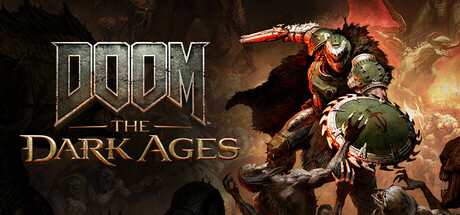
DOOM: The Dark Ages Slaughter Mode Update 5 Hotfix 1 brings a potential fix for crashes on NVIDIA GPUs, requires AMD driver 26.11.1 and gives a launch option to ease stutter with DLSS multi frame generation.
In this guide 4
id Software released Hotfix 1 for DOOM: The Dark Ages’ Slaughter Mode Update 5 on November 19 (version 1.018), and the part that matters on PC is stability: it brings a potential fix for crashes on NVIDIA cards, starts asking for AMD driver 26.11.1 or newer on supported Radeon GPUs, and acknowledges stutter with DLSS multi frame generation, with a launch option to ease it. On November 17 we told you that Update 5 had added AMD FSR 4 and the new Slaughter Mode; this patch lands on top of that update.
What Hotfix 1 changes on PC
The official notes have a PC-only section and one known issue:
- NVIDIA crashes: id implemented a potential fix for crashes affecting players on NVIDIA graphics cards. It is described as a potential fix, not a confirmed one.
- Minimum AMD driver: on supported AMD graphics cards, the game now shows a minimum driver version prompt at launch: 26.11.1.
- Stutter with DLSS multi frame generation: id says PC players with compatible NVIDIA GPUs are reporting stutter when using DLSS multi frame generation. It is not solved yet: the notes point to a driver-side fix.
Beyond the tech side, the patch tones down two Slaughter Mode bosses: Marok gets 17% less health and deals 15% less damage, and The Henchman gets 13% less health and deals 10% less damage. It also raises the Extra Lives cap to 2 on Ultra-Violence, Nightmare and Nightmare+, and fixes falling through the map when executing a Leader near stairs or ledges.
What to do if you have problems
- If you are on NVIDIA and the game was crashing: update to the version with Hotfix 1, which carries the potential fix.
- If you are on Radeon: install AMD driver 26.11.1 or newer, the minimum version the game now asks for.
- If you see stutter with DLSS multi frame generation: until the driver-side fix arrives, id suggests adding this launch option from your Steam Library:
+r_streamlineSCGEnabled 0.
DOOM: The Dark Ages PC requirements
The patch does not touch the requirements, which still read like this on Steam:
| Minimum | Recommended | |
|---|---|---|
| GPU | RTX 2060 SUPER or RX 6600 (hardware ray tracing, 8 GB VRAM) | RTX 3080 or RX 6800 (hardware ray tracing, 10 GB VRAM) |
| CPU | Ryzen 7 3700X or Core i7 10700K (8 cores / 16 threads) | Ryzen 7 5700X or Core i7 12700K (8 cores / 16 threads) |
| RAM | 16 GB | 32 GB |
| Storage | 100 GB on NVMe SSD | 100 GB on NVMe SSD |
| OS | Windows 10 or 11 64-bit | Windows 10 or 11 64-bit |
The minimum targets 1080p at 60 fps on Low; the recommended targets 1440p at 60 fps on High. Your GPU needs hardware ray tracing and an NVMe SSD is required.
Among the GPUs we track, the RTX 3060, RTX 4060 and RX 7600 clear the minimum but grade D against the recommended: they run it with little headroom. The RTX 4070 clears the recommended and grades C, while the RTX 5070 and RX 9070 XT reach B. The RTX 2060, RTX 3050 and Arc B580 fall below the minimum. On Steam Deck, Valve rates it Verified; details are on its Steam Deck page.
Can your PC run DOOM: The Dark Ages?
Here is how your rig grades against DOOM: The Dark Ages and Warhammer 40,000: Space Marine 2, another demanding action shooter:
| Game | Rec. GPU score | Rec. RAM | Min. RAM | Your PC |
|---|---|---|---|---|
| DOOM: The Dark Ages | 25,040 | 32 GB | 16 GB | ? |
 Warhammer 40,000: Space Marine 2 | 24,750 | 16 GB | 8 GB | ? |
The full game page shows your grade with your detected GPU and RAM.
Sources: DOOM: The Dark Ages news on Steam, Slaughter Mode Update 5 Hotfix 1, DOOM: The Dark Ages on Steam
Keep reading


EA SPORTS FC 27 v1.2.0 fixes freezing, stutter and FPS drops on high-end PCs
EA SPORTS FC 27 patch 1.2.0 targets freezing and FPS drops on high-end PCs. What changes for your PC and which GPUs clear the requirements.

Dune: Awakening 1.5.20.0 cuts menu stutter and adds an offline mode on PC
Funcom cuts brief stutter in menus and on vehicle spawn, fixes several crashes and adds offline single-player. Here is what changes on your PC.

NARAKA: BLADEPOINT November 5 patch cuts loading stutter: what it means for your PC
NetEase rebuilt NARAKA: BLADEPOINT's resource loading to cut stutter during heavy loading moments. Here is what changes on your PC.