Marvel Rivals Season 11: experimental PC client promises about 10% more CPU performance
Marvel Rivals Season 11 adds an experimental PC client that NetEase expects to boost CPU performance by about 10%, plus an RTX Spark version with DLSS and Reflex. Here is how to turn it on and which GPUs clear the requirements.

In this guide 4
Marvel Rivals Season 11 starts today, November 13, at 09:00 (UTC), with estimated maintenance of 2 hours. Along with Nightcrawler and a new Battle Pass, it brings something that matters if you play on PC: an experimental client built with a new Intel compiler and PGO (Profile-Guided Optimization). NetEase expects it to boost CPU performance by about 10% and keep frame rates steadier in busy fights. It is optional, and you turn it on from the PC launcher.
What version 20261113 brings to PC
The official patch notes have a Graphics & Performance section with two additions:
- Experimental client CPU optimization. NetEase says it made deep foundational optimizations to the game client by combining the new Intel compiler with PGO. According to the notes, enabling it is expected to boost CPU performance by approximately 10% and improve frame rate stability in complex combat.
- A version for NVIDIA RTX Spark. There is now a client optimized for devices powered by NVIDIA RTX Spark, with full support for DLSS Super Resolution, DLSS Frame Generation and NVIDIA Reflex.
The fixes list also includes one for occasional stuttering when Blade sprints with Daywalker Dash.
How to turn on the optimized client
These are the steps the notes give:
- Open the Marvel Rivals PC launcher and toggle on the experimental CPU optimization feature.
- Once it is enabled, the launcher automatically downloads and applies the optimized client.
- If you run into anomalies or stability issues, NetEase asks you to report them to Customer Support.
Since it is still experimental, there is no rush if your game already runs steady. If your frame rate dips in big team fights, that is exactly what the notes say the feature aims to improve. The notes do not give separate steps for the RTX Spark version.
Marvel Rivals PC requirements
The Season 11 notes do not change the system requirements. Here they are from the Steam page:
| Minimum | Recommended | |
|---|---|---|
| GPU | GeForce GTX 1060, RX 580 or Arc A380 | GeForce RTX 2060 (Super), RX 5700-XT or Arc A750 |
| CPU | Core i5-6600K or Ryzen 5 1600X | Core i5-10400 or Ryzen 5 5600X |
| RAM | 16 GB | 16 GB |
| Storage | 70 GB (SSD recommended) | 70 GB (SSD recommended) |
| OS | Windows 10 64-bit (1909 or newer), DirectX 12 | Windows 10 64-bit (1909 or newer), DirectX 12 |
With 16 GB of RAM, the GTX 1060 6GB clears the minimum but grades D against the recommended: it runs, but it will struggle. The RTX 2060 and the Arc B580 also clear the minimum and grade C, tight against the recommended. From the RTX 3060 or the Radeon RX 7600 up, you meet the recommended (B), and an RTX 4070 or an RX 9070 XT runs it smoothly (A). The GTX 1650 does not clear the minimum. All these grades are measured against the recommended requirement.
On Steam Deck, Valve rates Marvel Rivals as Playable. More details on its Steam Deck page.
Can your PC run Marvel Rivals?
Here is how your setup grades against Marvel Rivals and Blood Strike, a related game from our catalog:
| Game | Rec. GPU score | Rec. RAM | Min. RAM | Your PC |
|---|---|---|---|---|
| Marvel Rivals | 15,500 | 16 GB | 16 GB | ? |
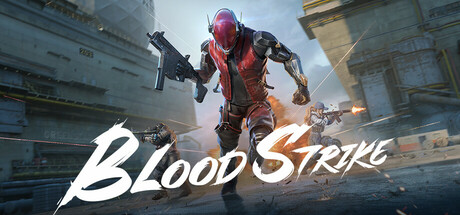 Blood Strike | 6,050 | 8 GB | 4 GB | ? |
The full Marvel Rivals page shows your GPU’s grade and which upgrade helps the most.
Sources: Official version 20261113 patch notes, Marvel Rivals on Steam, Steam announcement: Season 11 patch notes
Keep reading

EVE Vanguard's 24/7 alpha adds DLSS 4.5: can your PC run it?
EVE Vanguard's 24/7 alpha ships with DLSS 4.5, but the minimum is already an RTX 2060. See which GPUs make the cut.
DOOM: The Dark Ages Hotfix 1: Potential NVIDIA crash fix and AMD driver 26.11.1
id released Hotfix 1 for DOOM: The Dark Ages: a potential NVIDIA crash fix, a 26.11.1 minimum driver on AMD and a workaround for DLSS stutter.
The Ascent Legacy Patch adds FSR, XeSS, ultrawide and HDR on PC
Neon Giant's Legacy Patch for The Ascent brings FSR, XeSS, ultrawide, HDR and save and co-op fixes. Here is what it means for your PC.