MARVEL Tōkon adds a PC benchmark that can also filter your online matchmaking
MARVEL Tōkon: Fighting Souls' November 2 patch adds a PC benchmark you can use as an online matchmaking filter, makes shader warmup mandatory and improves PC online stability. What to do and which GPUs meet the requirements.
In this guide 4
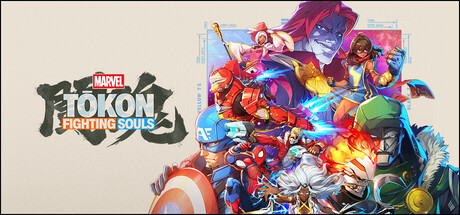
MARVEL Tōkon: Fighting Souls’ November 2 patch adds Phoenix Cyclops as a new character, but for PC players the bigger news is elsewhere. Arc System Works added a Benchmark Test that checks how the game performs on your machine before you play online. It also made shader warmup mandatory at launch and adjusted online match stability for the PC version. If you pass the benchmark, you can use it as a filter so you only match with players who passed it too.
What changes in the PC version
The official notes list the PC changes separately:
- Benchmark Test: checks the game’s performance on your PC before you play online. Players who pass it can use it as a matchmaking filter to play with others who also passed.
- Shader warmup: now required when you launch the game.
- Online stability: adjustments to make online matches more stable and consistent, with fewer unexpected interruptions during gameplay on PC.
PS5 and PC also get an icon that shows when there is slowdown during an online match, on your side or your opponent’s. According to the notes, PC performance has improved, which is why the patch resets the platform matchmaking settings.
Phoenix Cyclops and his content unlock with the Ultimate Edition, the Digital Deluxe Edition, the Year 1 Character & Stage Pass or the Phoenix Cyclops DLC.
What to do after updating
These steps come from the patch notes:
- Run the Benchmark Test before playing online to see whether your PC meets the performance standard.
- Check Matching Settings: a new option limits matchmaking to players who meet the benchmark’s performance standard.
- Check your platform setting: the patch resets Platform Settings to the default, “All”. If you only want to play against your own platform, choose “Same Platform Only” in Matching Settings.
- Expect the shader warmup at launch: it is no longer optional.
The notes do not say exactly what performance the benchmark requires for a pass.
MARVEL Tōkon PC requirements
| Minimum | Recommended | |
|---|---|---|
| GPU | RTX 2060 6 GB or RX 6600 XT 8 GB | RTX 3070 8 GB or RX 7600 XT 16 GB |
| CPU | Core i5-8400 or Ryzen 5 1600X | Core i7-8700 or Ryzen 5 3600X |
| RAM | 16 GB | 16 GB |
| Storage | 27 GB | 27 GB |
| OS | Windows 11 64-bit | Windows 11 64-bit |
Our grades are measured against the recommended requirement, with 16 GB of RAM. The RTX 2060 and the RX 6600 XT clear the minimum but grade D, so they run it with little headroom. The RTX 3060, RTX 4060 and RX 7600 grade C, between minimum and recommended. From the RTX 3070 up you meet the recommended with a B, as do the RTX 4070 and RX 9070 XT. The GTX 1660 Super, RTX 3050 and Arc B580 fall below the minimum.
On Steam Deck, Valve has not verified it: it is listed as Unsupported. Our spec-based estimate gives it an F, and you can see the details on its Steam Deck page.
Can your PC run MARVEL Tōkon?
Here is how your hardware grades against the game’s recommended spec:
| Game | Rec. GPU score | Rec. RAM | Min. RAM | Your PC |
|---|---|---|---|---|
| MARVEL Tōkon: Fighting Souls | 21,750 | 16 GB | 16 GB | ? |
To see which part is holding you back and which upgrade pays off, open the full MARVEL Tōkon page.
Sources: MARVEL Tōkon news on Steam, MARVEL Tōkon on Steam, Patch Update - 2 November 2026
Keep reading

Anno 117 patch 3.0.1: less stutter, an Intel Arc crash fix and a DLSS Frame Gen warning
Anno 117 gets patch 3.0.1: less stutter, an Intel Arc crash fix, less CPU time per frame in large saves and a warning about DLSS Frame Generation.
Crimson Desert 2.05.00 fixes RDNA 4 crashes with the Cinematic option on driver 26.10.1+
Patch 2.05.00 fixes RDNA 4 crashes with the Cinematic option on driver 26.10.1 or higher and improves several framerate drops.
Valor Mortis first update: crash fixes, driver warning and a stutter fix for demo players
Valor Mortis got its first update: fewer crashes, a warning for outdated drivers and one settings file worth deleting if you played the demo and have stutter.