Team Fortress 2 patch fixes long-session view jitter and a crash: PC requirements
Team Fortress 2's October 5 patch fixes view jitter that builds up over long sessions and a crash caused by snd_mix_async. What changed, what to do, and the PC and Steam Deck requirements.
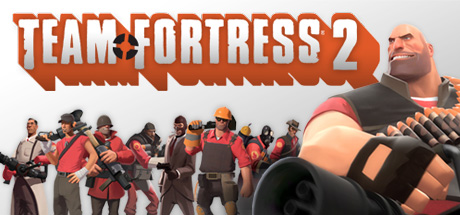
In this guide 4
Valve released a Team Fortress 2 update yesterday, October 5, that fixes two problems you notice while playing on PC. The first is view jitter that showed up and stayed when you played for a long time. The second is a crash caused by snd_mix_async. The patch lands a few days after Scream Fortress XVIII, the Halloween event that arrived on October 1, and it also adjusts movement against angled walls. With 67,010 players on Steam at the time of writing, plenty of people get this one. It installs itself, so you only need to restart the game.
What is happening
The patch notes mix technical fixes with event fixes. Here is what matters for playing:
- View jitter: fixed the camera jitter that occurred and persisted during extended play sessions.
- snd_mix_async crash: it no longer crashes the game.
- Movement: the Halloween update fixed a bug where you could get stuck on certain oblique angles of walls and props, but that note was missed at the time. Valve now adds the sv_wallbug convar so community servers can bring back the previous movement behavior.
- Servers and maps: sv_parallel_sendsnapshot is fixed, and various limits for new custom maps went up.
The rest are event fixes. The Marshlands contract now activates, and the TrainSawLaser objective counts kills again. There are also updated objectives for Scaredy-Cat and Outburst, closed out-of-bounds exploits with the Zombie Engineer’s Beacon on maps like zi_murky and zi_woods, and several cosmetic fixes.
What to do
Just restart Team Fortress 2, because the update applies automatically when you launch it. The notes don’t ask you to change any setting or install drivers. If you had the jitter or the crash, there are no extra steps.
Team Fortress 2 PC requirements
The patch doesn’t touch the Windows requirements on Steam:
| Minimum | Recommended | |
|---|---|---|
| GPU | Not specified (DirectX 8.1) | Not specified (DirectX 9.0c) |
| CPU | 1.7 GHz processor or better | Pentium 4 at 3.0 GHz or better |
| RAM | 512 MB | 1 GB |
| Storage | 15 GB | 15 GB |
| OS | Windows 7 (32/64-bit), Vista or XP | Windows 7 (32/64-bit) |
The Windows listing doesn’t name a graphics card, only the DirectX version. That means canirun has no GPU score to compare against the minimum. Against the recommended requirement, every popular GPU we checked grades S, “Overkill.” That covers everything from a GTX 1650 or an RX 580 up to an RTX 3060 or an Arc B580.
On Steam Deck, Valve rates it Playable. The details are on its Steam Deck page.
Can your PC run Team Fortress 2?
Here is how your setup grades against Team Fortress 2 and two other multiplayer shooters in the catalog:
| Game | Rec. GPU score | Rec. RAM | Min. RAM | Your PC |
|---|---|---|---|---|
| Team Fortress 2 | — | 1 GB | 512 MB | ? |
 Apex Legends™ Apex Legends™ | 7,800 | 8 GB | 6 GB | ? |
 PUBG: BATTLEGROUNDS PUBG: BATTLEGROUNDS | 9,500 | 16 GB | 8 GB | ? |
On the game page you get the full grade for your detected GPU and RAM.
Sources: Valve patch notes, Team Fortress 2 on Steam, Steam update announcement, Scream Fortress XVIII
Keep reading
STALZONE fixes the post-patch FPS drops and gives out a promo code: can your PC run it?
EXBO has fixed STALZONE's freezes and FPS drops and is giving out a compensation code through October 8. Here's what you need to run it.
CONTROL Resonant patch 1.4.0 targets PC performance: requirements and GPUs that pass
Patch 1.4.0 adds New Game++ and performance work aimed at PC minimum and recommended specs. Here is which GPUs make the cut.

AION 2 is live on PC and hit 400,000 players: which GPUs can run it
AION 2 is out free on PC and reached 400,000 active users. Fine print: even the recommended spec targets low settings at FHD.