Pillars of Eternity and Deadfire get full PC controller support in a public test
Obsidian opened a public test with full controller support for Pillars of Eternity and Deadfire on Steam, GOG and Xbox on PC. Here is what it brings, how to opt in, how to set it up on Steam Deck and whether your PC runs the game.
In this guide 4
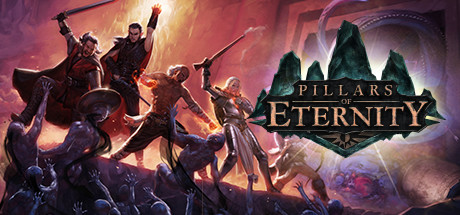
On November 4 Obsidian opened a public test with full controller support for Pillars of Eternity and Pillars of Eternity II: Deadfire on Steam, GOG and Xbox on PC. You can now play either game start to finish with a controller, from character creation to the end credits, in both Real-Time with Pause and Turn-Based Mode. If you play from the couch, in Big Picture mode or on a Steam Deck, this is the update you were waiting for.
What the public test brings
It arrives as patch 1.3.10.0 for Pillars of Eternity and 5.1.0.0 for Deadfire. The highlights, according to Obsidian:
- Controller support across the whole game: character creation, exploration, combat, conversations, the inventory, crafting and enchanting, the Stronghold and the world map. In Deadfire it also covers naval exploration and ship combat, and it builds on the scheme from the console editions.
- Radial menus for abilities, spells and party commands, with button prompts throughout the interface.
- Free input switching: pick up your mouse and keyboard at any time and the interface follows the input you are using.
- Supported controllers: Xbox and PlayStation, plus Steam Deck and Big Picture mode, including the on-screen keyboard for naming characters and writing notes. For Deadfire, Obsidian specifies that Xbox and PlayStation controllers work on Windows, macOS and Linux.
Deadfire also gets its Turn-Based Mode reworked with the improvements Obsidian made for the first game: turns follow each character’s speed, damage from any source goes up by 35% in that mode, and swapping weapons or drinking potions become free actions with per-turn limits. You can now switch Turn-Based Mode on or off mid-playthrough, outside combat, from the options, a new HUD button or the T key. Completed-game saves from Pillars of Eternity can now be transferred to Deadfire.
This is a public test: Obsidian warns to expect bugs and says the test will run for some time as it keeps updating it ahead of the full release.
How to join on Steam: right-click the game in your library, pick “Properties”, open the “Betas” tab and select “public_beta” from the drop-down. On GOG, go to “Manage Installation”, then “Configure”, and pick “Public Beta” under “Beta Channels”. On Xbox on PC, join through the Xbox Insider Hub app, under Previews, with Pillars of Eternity – Hero Edition.
Does it change anything for your PC?
The announcement does not mention any change to the system requirements, so the Steam ones still apply. The only performance note is in Deadfire: Weakness afflictions no longer retrigger repeatedly and cause severe frame rate drops.
| Minimum | Recommended | |
|---|---|---|
| GPU | ATI Radeon HD 4850 or NVIDIA GeForce 9600 GT | Radeon HD 7700 or NVIDIA GeForce GTX 570 |
| CPU | Intel Core i3-2100T @ 2.50 GHz / AMD Phenom II X3 B73 | Intel Core i5-2400 @ 3.10 GHz / AMD Phenom II X6 1100T |
| RAM | 4 GB | 8 GB |
| Storage | 14 GB | 14 GB |
| OS | Windows Vista 64-bit or newer | Windows Vista 64-bit or newer |
This is a 2015 game and it asks for little. Every popular GPU we checked clears both the minimum and the recommended and grades S (“Overkill”) measured against the recommended requirement: from a GTX 1650 or an RX 580 to a GTX 1060 6GB or an RTX 3050. On Steam it also has Mac and Linux versions.
What about Steam Deck?
Valve rates it Playable on Steam Deck. To use the new controller support, Obsidian says you need to enable the controller configuration: on the game’s library page, select the controller icon, open your current layout, go to Templates and pick “Gamepad with Joystick Trackpad” (or “Gamepad” if the first one is not available), then “Apply Layout”. There is more on the Pillars of Eternity Steam Deck page.
Can your PC run Pillars of Eternity?
Here is how your setup grades against the game’s requirements:
| Game | Rec. GPU score | Rec. RAM | Min. RAM | Your PC |
|---|---|---|---|---|
| Pillars of Eternity | 1,700 | 8 GB | 4 GB | ? |
For the full grade with your GPU and RAM, open the Pillars of Eternity page.
Sources: Obsidian: public test announcement, Pillars of Eternity on Steam, Steam announcement
Keep reading


Euro Truck Simulator 2 1.62 open beta is live: PC requirements and which GPUs run it
Euro Truck Simulator 2 update 1.62 is now playable in open beta, with new garages across the map. Here is what your PC needs.

Metro Last Light Redux next-gen update is live: 4K, DLSS and PC requirements
The Redux Next-Gen Update is live on PC: free 4K, uncapped frame rates and DLSS. Requirements and which GPUs clear them.
Graveyard Keeper 2 gets patch 1.008: PC requirements and which GPUs run it
Graveyard Keeper 2 patch 1.008 is out. A GTX 1650 covers the minimum and an RTX 3060 meets the recommended.