NieR:Automata asks for 366 GB on Steam after a bug: how to install it anyway
After a patch that added Chinese and Korean, Steam asks for 366 GB to install NieR:Automata instead of 50 GB. Here is the temporary workaround from the official account, the PC requirements and which GPUs run it.
In this guide 5
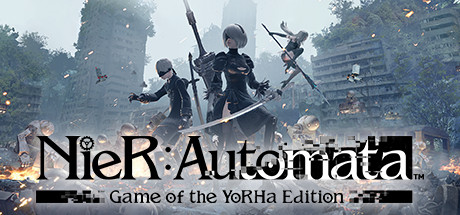
NieR:Automata’s November 6 Steam patch only added three languages: Simplified Chinese, Traditional Chinese and Korean. Since then, Steam asks for 366 GB to install a game that used to need 50 GB, according to Vandal and GamesRadar+. The official NieR PR account has acknowledged the problem and, as Automaton reports, shared a temporary workaround: untick the DLC to download the base game. If the game is on your backlog or you plan to reinstall it, here is what you need to know.
What is happening
The official patch notes on Steam only mention the new languages. Even so, GamesRadar+ confirmed that when it tried to reinstall the game, Steam asked for 366.56 GB of space. Vandal and Automaton point to the same cause: after the update, every DLC is listed at the same size as the base game, and Automaton notes there are eight of them. Added to the main game, that gets you past 360 GB.
The reassuring part, according to Automaton, is that the game and its DLC only take up around 40 to 50 GB once installed: the 366 GB figure is just what Steam demands to install everything at once. GamesRadar+ adds that users in the Steam discussions report an 8 GB download for the patch itself, and that the store page still lists 50 GB of storage.
According to Automaton, this is the game’s first Steam update in five years, with the previous one released on July 15, 2021.
What to do until the fix lands
In the official NieR account’s message quoted by Automaton, the team says it is investigating the cause and working on a solution. As a temporary workaround, the official account offers a single step:
- Untick the DLC: in Steam, open the game’s Properties, go to DLC and untick the DLC to download only the base game.
If you also want the DLC, Automaton suggests an extra step of its own, which does not come from Square Enix: once the base game finishes installing, tick the DLC again and download them. According to the outlet, that way you do not have to worry about the inflated space they ask for.
Vandal also recommends holding off on downloading the game until the fix is out and, if you already have it installed, turning off automatic updates. There is no patch that fixes the size yet.
NieR:Automata PC requirements
This is a storage bug, not a performance one: the requirements on the Steam page are unchanged.
| Minimum | Recommended | |
|---|---|---|
| GPU | GTX 770 or Radeon R9 270X (2 GB VRAM) | GTX 980 or Radeon R9 380X (4 GB VRAM) |
| CPU | Core i3 2100 or AMD A8-6500 | Core i5 4670 or AMD A10-7850K |
| RAM | 4 GB | 8 GB |
| Storage | 50 GB | 50 GB |
| OS | Windows 7 / 8.1 / 10 64-bit | Windows 8.1 / 10 64-bit |
Which GPUs run it
Every popular GPU on our list clears the minimum. The GTX 1650 and Radeon RX 580 get past it, but measured against the recommended they grade C (Tight): it runs, with little headroom. The GTX 1060 6GB meets the recommended with a B. The GTX 1660 Super, RTX 3060 and RX 7600 grade A against the recommended, and the RTX 4060 or RTX 3070 reach S.
On Steam Deck, Valve rates it Playable. You can find the details on its Steam Deck page.
Can your PC run NieR:Automata?
Here is how your setup grades against NieR:Automata’s recommended spec:
| Game | Rec. GPU score | Rec. RAM | Min. RAM | Your PC |
|---|---|---|---|---|
| NieR:Automata™ | 9,250 | 8 GB | 4 GB | ? |
To see which upgrade raises your grade the most, check the full game page.
Sources: Vandal, GamesRadar+, Automaton, NieR:Automata on Steam, Steam patch notes
Keep reading

Airframe Ultra is out on PC: launch week event, Videocult's plans and requirements
Airframe Ultra is out on Steam: a week of challenges with prizes, new content every quarter or so, and requirements almost any PC meets.

Desktop Wallet Heroes PC requirements: the free idle RPG that lives on your desktop
It's an idle game that runs in a strip of your screen, yet the recommended spec asks for a GTX 1060 and 16 GB. Here's what your PC needs.


EA SPORTS FC 27 jumps from 16,131 to 51,774 players on Steam: can your PC run it?
FC 27 went from 16,131 to 51,774 players on Steam. Here is what your PC needs to join in and which GPUs run it.