Enshrouded Hotfix 1.0.0.1 fixes random crashes and peripheral crashes on PC
Keen Games released Enshrouded Hotfix 1.0.0.1: it fixes random crashes, crashes caused by PC peripherals and overly bright indoor lighting. Here is what it fixes, the two open bugs with their official workarounds, and which GPUs run the game.
In this guide 4
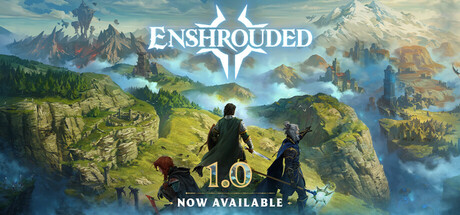
Keen Games released Enshrouded Hotfix 1.0.0.1 on October 15, the first patch since the game left Early Access. If the game kept closing on you without warning, this is the one that matters: it fixes several issues that could cause random crashes, plus crashes caused by specific peripherals attached to the PC. On October 14 we covered what 1.0 asks for on PC; this patch leaves the requirements alone but targets stability, and it lands with 29,486 players in the game on Steam right now.
What Hotfix 1.0.0.1 fixes
According to the official changelog on Steam, this version (number 1267041) brings:
- Random crashes: several issues that could cause them are fixed.
- Peripherals: crashes caused by specific peripherals attached to the PC are fixed. Keen Games does not say which ones.
- Lighting: a dynamic lighting issue that caused indoor brightness problems is fixed.
- “Fire Wisp” scroll: it now has a fixed level 27. Before, its damage scaled with player level, which made it far too strong in the end-game.
- Deluxe Upgrade Pack: the artbook and world map it includes were updated.
What to do if you still have problems
For the crashes there are no extra steps: the fix is in the hotfix itself. The studio does acknowledge two open bugs and gives a temporary workaround for each:
- Sound: reverb in large halls or rooms and the dynamically lowered gameplay sounds during lore voice-over misbehave, but only when the master volume slider is below 100%. Until there is a fix, keep the in-game master volume at 100% and adjust volume in the Windows sound settings instead.
- World edit button: this hotfix introduced a new bug and the edit button may not work. The temporary workaround is to subscribe to something, anything, in adventure sharing and then try editing your world again.
Enshrouded PC requirements
They are still the ones on the Steam page:
| Minimum | Recommended | |
|---|---|---|
| GPU | GTX 1060 or RX 580 (6 GB VRAM) or Arc A380 | RTX 2070 Super or RX 6700 XT (6 GB VRAM) or Arc A770 |
| CPU | Core i5-6400 or Ryzen 5 1500X | Core i7-8700 or Ryzen 7 2700X |
| RAM | 16 GB | 16 GB |
| Storage | 60 GB | 60 GB, SSD recommended |
| OS | Windows 10 64-bit | Windows 10 64-bit |
With 16 GB of RAM, the GTX 1060 6GB clears the minimum but struggles against the recommended (grade D). The RTX 3060 and RX 7600 clear the minimum and grade tight (C) against the recommended, while the RTX 4060 and RTX 3060 Ti meet it (B) and the RTX 4070 or RX 9070 XT run smooth (A). The GTX 1650 does not reach the minimum. On Steam Deck, Valve has not verified it, and our spec-based estimate gives it an F.
Can your PC run Enshrouded?
Here is how your rig grades against Enshrouded and two other survival games built around building:
| Game | Rec. GPU score | Rec. RAM | Min. RAM | Your PC |
|---|---|---|---|---|
| Enshrouded | 17,600 | 16 GB | 16 GB | ? |
 Palworld Palworld | 19,810 | 32 GB | 16 GB | ? |
 Rust Rust | 17,050 | 16 GB | 12 GB | ? |
The full game page shows your GPU’s exact grade, measured against the recommended requirement.
Sources: Hotfix 1.0.0.1 changelog, Hotfix 1.0.0.1 announcement on Steam, Enshrouded on Steam
Keep reading
Cyberpunk 2077 Update 2.5: DLSS 4.5, FSR 3 upscaling gone and what changes for your PC
Update 2.5 adds DLSS 4.5, drops FSR 3 upscaling and optimizes ray tracing. What changes for your PC and what to check after updating.

Halloween: The Game patch 1.1.1 fixes PC crashes with DLSS and FSR frame generation
If the game crashed with frame generation on, patch 1.1.1 fixes it. What changed, the PC requirements and which GPUs clear them.


Planet Zoo 2 update 1.0.4 fixes DLSS and FSR: what it means for your GPU
Planet Zoo 2's first patch gets DLSS and FSR working properly. That matters most if your GPU sits between the minimum and the recommended spec.